How to Reduce Digital Eye Strain Naturally
7 Doctor-Approved Methods to Protect Your Vision from Screen Fatigue • 2026 Edition
What is Digital Eye Strain, Really?
Digital eye strain—also called computer vision syndrome—isn't just marketing hype invented to sell you blue-light glasses. It's a legitimate medical condition affecting millions of people who stare at screens for hours daily. Your eyes weren't designed to focus on pixels inches from your face for eight hours straight. Shocking, I know.
According to the Cleveland Clinic, symptoms include dry eyes, blurred vision, headaches, neck pain, and that lovely burning sensation that makes you want to close your laptop and become a forest hermit. The good news? You can fix most of these issues without surgery, expensive treatments, or moving to a cabin in the woods.
Here's what happens: When you stare at a screen, you blink 66% less often—dropping from 18-22 times per minute to just 3-7 times. This dries out your eyes faster than a desert wind. Plus, your eye muscles are constantly working to focus on pixels, which causes fatigue. It's like running a marathon without training—your eyes get tired, cranky, and eventually rebel.
The Shocking Statistics: Why You Should Care
Here's where it gets real. The 2025 Workplace Vision Health Report reveals that employees now average 97 hours of screen time per week—nearly 14 hours daily. That's more time than most people spend sleeping, eating, and exercising combined.
A comprehensive review published in the National Library of Medicine found that 66% of knowledge workers experience computer vision syndrome. Among contact lens wearers, 89% report eye fatigue more than once per month. These aren't just numbers—they represent real people rubbing their temples at 3 PM, wondering why their head feels like it's in a vice.
Screen Time Impact on Eye Health
Percentage of workers reporting symptoms by daily screen time
Source: Meta-analysis of 103 studies, Contact Lens and Anterior Eye Journal, 2024
The 20-20-20 Rule: Your Eyes' Reset Button
This isn't another productivity hack that requires a PhD to implement. The 20-20-20 rule is beautifully simple, and research from PubMed confirms it actually works. In a clinical study, participants who followed this rule experienced significant decreases in digital eye strain and dry eye symptoms.
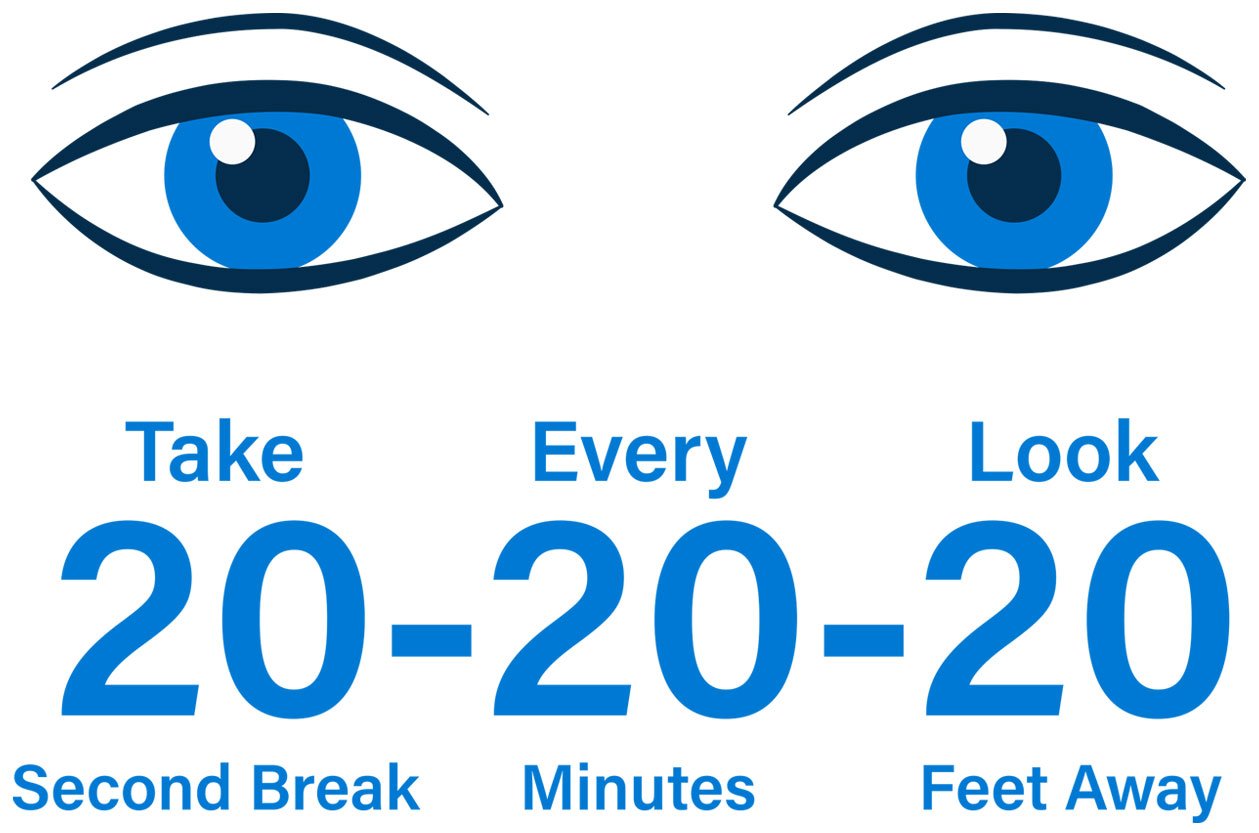
Figure 1: The 20-20-20 rule is the gold standard for preventing digital eye strain, recommended by ophthalmologists worldwide.
Why does this work? When you focus on a screen, your eye muscles contract. Looking into the distance lets them relax. It's like stretching after sitting in a cramped airplane seat—but for your eyeballs. The study showed that while the 20-20-20 rule didn't significantly improve binocular vision or dry eye signs in just two weeks, it did provide measurable relief from symptoms.
Pro Tips for Implementation
- Set a timer. Use your phone, browser extensions, or apps like "Eye Care 20 20 20" (ironic, using tech to save you from tech)
- Look out a window. If you have one. If not, focus on the farthest object in your room—maybe that mysterious stain on the wall you've been ignoring
- Don't cheat. Glancing away for 3 seconds doesn't count. Your eyes need the full 20 seconds to actually relax
- Make it a habit. Tie it to something you already do—like finishing an email or a meeting
Optimize Your Workspace: Ergonomics Matter
Your screen position matters more than you think. The American Optometric Association recommends specific measurements that most people ignore until their neck starts sounding like a bowl of Rice Krispies.
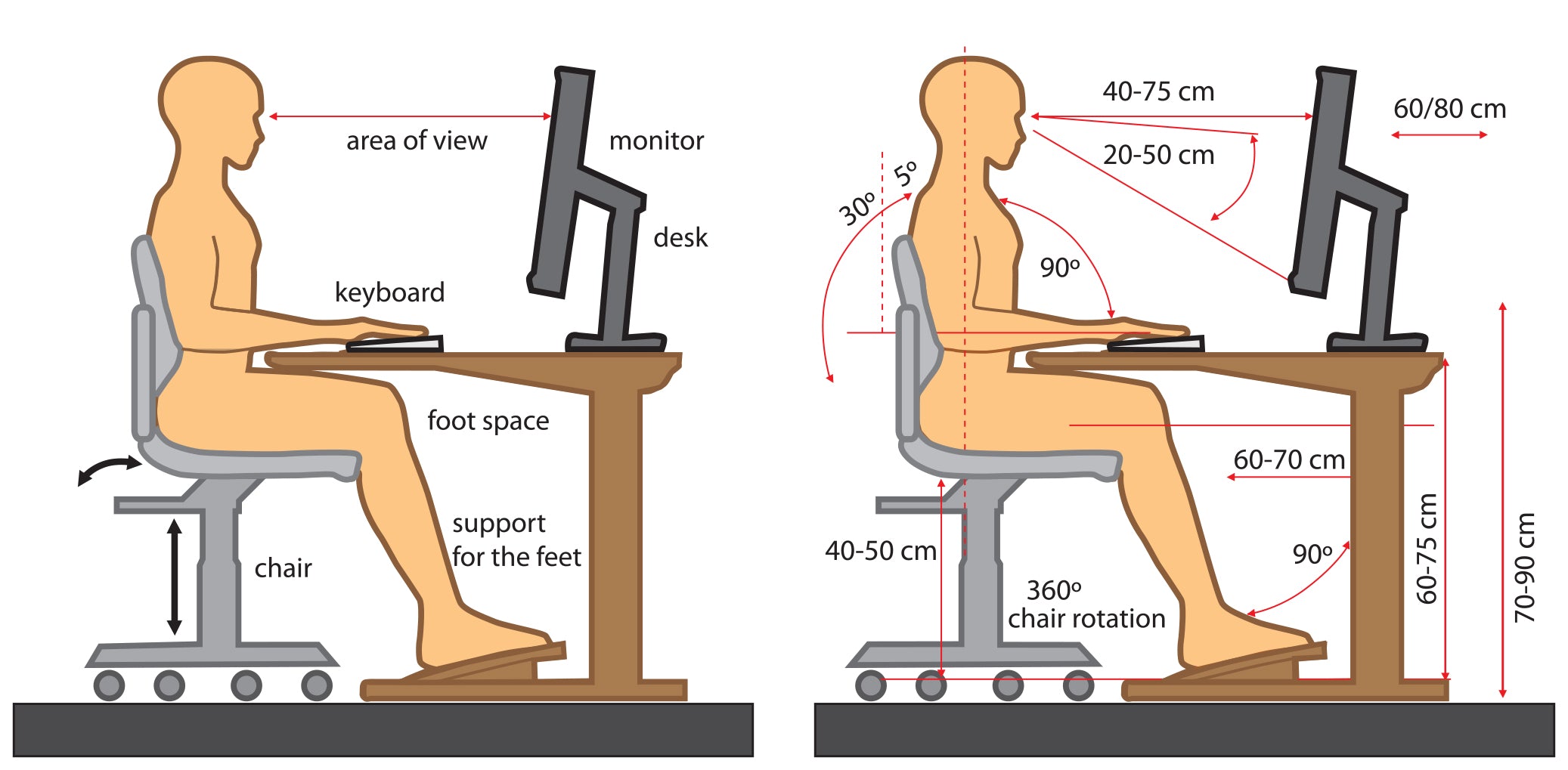
Figure 2: Proper ergonomic setup reduces both eye strain and neck pain. Position your monitor at arm's length and slightly below eye level.
Perfect Distance
Keep your screen 20-26 inches from your face (about an arm's length). Too close and your eyes work overtime; too far and you squint.
Ideal Height
Position the top of the screen 4-5 inches below eye level. You should be looking slightly downward, not craning your neck up.
Reduce Glare
Position your monitor perpendicular to windows. Use curtains, blinds, or an anti-glare screen. Working in a dark room with a bright screen is like staring at a solar eclipse.
Adjust Settings
Set screen contrast between 60-70%. Increase text size to at least 12pt. Use dark text on light background—your eyes will thank you.
Natural Remedies That Actually Work
Skip the marketing hype and expensive gadgets. Here's what ophthalmologists actually recommend based on clinical evidence:
1. Blink Consciously (Yes, Really)
Remember that 66% reduction in blinking? Combat it by setting reminders to blink fully and slowly. It feels silly, but your tear film will thank you. Think of it as meditation for your eyelids.
2. The Palming Technique
Rub your palms together until warm, then cup them over your eyes (without pressing) for 30 seconds. The warmth and darkness relax your eye muscles. It's like a spa day for your retinas, and it costs exactly zero dollars.
3. Artificial Tears (Over-the-Counter)
If your eyes feel like sandpaper, preservative-free artificial tears can help. The Cleveland Clinic recommends using them even before symptoms start as a preventive measure. Think of it as moisturizer for your eyeballs.
4. Warm Compresses
A warm washcloth over closed eyes for 5-10 minutes helps unblock oil glands in your eyelids. This improves tear quality and reduces that gritty feeling. Do this twice daily for best results—morning and evening.
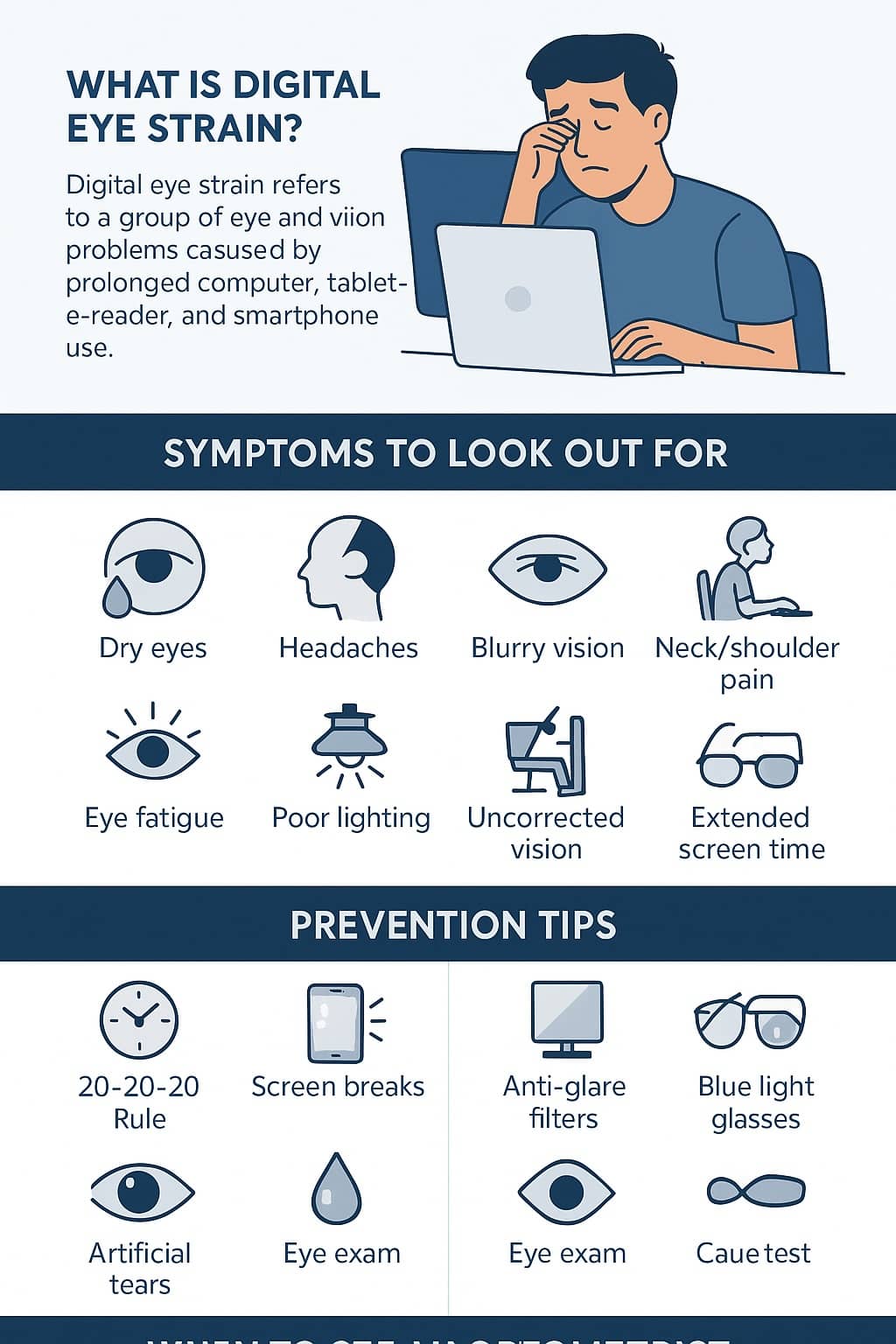
Figure 3: Common symptoms of digital eye strain include dry eyes, headaches, blurry vision, and neck pain—along with proven prevention strategies.
Lifestyle Adjustments for Long-Term Relief
Quick fixes are great, but lasting change comes from adjusting your habits. Here's what actually moves the needle:
Hydration Is Non-Negotiable
Dehydration worsens dry eyes. If you're pounding coffee all day and wondering why your eyes feel like raisins, there's your answer. Drink water consistently throughout the day. Your eyes (and skin, and brain) will improve dramatically.
Omega-3 Fatty Acids
Research suggests omega-3s support tear production. You can get these from:
- Fatty fish (salmon, mackerel, sardines)
- Walnuts and flaxseeds
- Supplements (consult your doctor first)
The "Digital Sunset"
Your eyes repair themselves during sleep. Evening screen exposure suppresses melatonin and disrupts this healing process. Try no screens 2 hours before bed. Your sleep quality and eye health will improve simultaneously. I know, I know—easier said than done. But even 30 minutes helps.
Outdoor Time
Natural light and looking at distant objects help counteract near-work strain. Even 20 minutes outside during lunch helps. Plus, vitamin D from sunlight supports overall eye health. It's the original, free eye therapy.
When to See a Doctor (Don't Ignore These Signs)
While digital eye strain is usually manageable at home, some symptoms warrant professional attention. Schedule an eye exam if you experience:
- Persistent double vision
- Severe eye pain or sudden vision changes
- Symptoms that don't improve after 2 weeks of following these methods
- Light sensitivity that interferes with daily activities
- Seeing flashes of light or floaters
Think of it this way: You get your car serviced regularly, right? Your eyes are worth at least that much attention. An annual exam is preventive maintenance for your most important sensory organs.
.webp)

Comments
Post a Comment